Notes that stay where you need them
Simple Sticky Notes is a free productivity and utility tool developed by Simnet Software. It offers a digital alternative to traditional physical sticky notes. It blends ease of use with a variety of customization features, allowing you to jot down and organize any information faster. It aims for simplicity and personalization.
Top Recommended Alternative

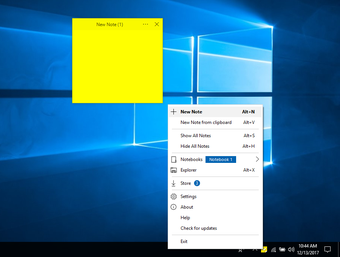
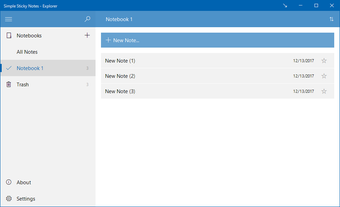
Simple Sticky Notes features a user-friendly UI and seamless note-taking experience directly on the Windows desktop. Its functionality revolves around creating, customizing, and managing digital sticky notes. It’s a more convenient and clutter-free way to record reminders and information. Plus, you can access all your notes anytime without the bulk.
Create, customize, and manage
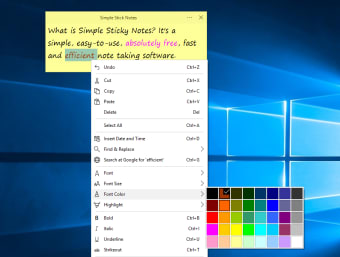
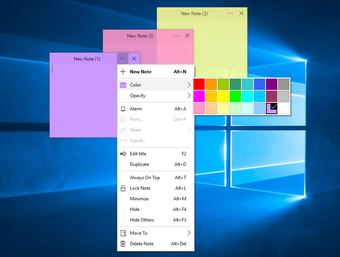
Simple Sticky Notes offers a straightforward interface accessible via the system tray. The application features a wide range of customization options for fonts, colors, and sizes. It includes various themes to personalize the look of notes; however, you can choose whichever one you like. It also provides reminder functionality for important tasks so you don’t miss them. The program also allows for printing and sharing notes. However, it can occasionally crash.
Aside from the unique features of this program, it still has the following: cut, copy, paste, and delete. You can also insert the date and time and highlight any word to search it on the internet. If you want a smaller or bigger font, then you can also adjust it accordingly, as well as highlighting, underlining, and select any text to turn it into italicized text.
Keeping things neat and organized
What defines Simple Sticky Notes is how it integrates into everyday workflow. It does not interrupt your tasks or demand attention. Instead, it sits quietly on your desktop, acting as a constant visual reminder. This makes it especially useful for multitasking environments where quick access to information matters. However, this approach also highlights its limits. The app doesn’t offer complex organization tools, and managing many notes can feel hard to organize over time.
Recent updates to this app have focused on improving performance and refining existing features rather than adding entirely new systems. Enhancements include better startup behavior, smoother note rendering, and improved compatibility with newer versions of PC’s OS. Minor fixes to note saving and interface responsiveness help keep the experience stable during daily use. The update direction highlights a stability-focused development, ensuring the app remains reliable without changing its core simplicity.
A lightweight desktop note tool
Simple Sticky Notes succeeds by doing exactly what a desktop note tool should do: keep reminders visible, quick to edit, and easy to personalize without getting in the way. Its customization options, reminder support, and quiet desktop presence give it steady everyday value. However, its Windows-only availability, occasional crashes, and limited organization tools keep it from feeling ideal for heavier note management or more demanding workflows.